PME4U Blogs

Advanced Excel Contracts Manager – Generate Unique ID’s

A critical function of any contracts and procurement process management solution is to generate a unique identifier for each process and contract. I cannot stress enough how important it is to allocate an identifier to a process and to use it for all communications regarding the process and the contract, both internally and externally. Why? Because loss of clarity in communications can result in regrettable errors. In addition to that, if you are managing more than a couple of processes and contracts, tremendous efficiency is gained when you include a direct relationship between a communication, document, record and a process or contract. Often the ID’s are generated manually by looking at the last number used and adding one, but this can result in duplications through accidentally re-entering the same number and potential inconsistencies through data entry errors. You may mean to type CAT-112 and instead you type CAT-121. Nine numbers have been skipped, which can be confusing, and you may have actually recorded CAT-112 on all your documents and folders. So in this blog we’ll look at a method in our Advanced Excel Contracts Manager to automatically generate and ID using Excel and a bit of VBA.
Read More »

Advanced Excel Contract Manager – Protect Your Data

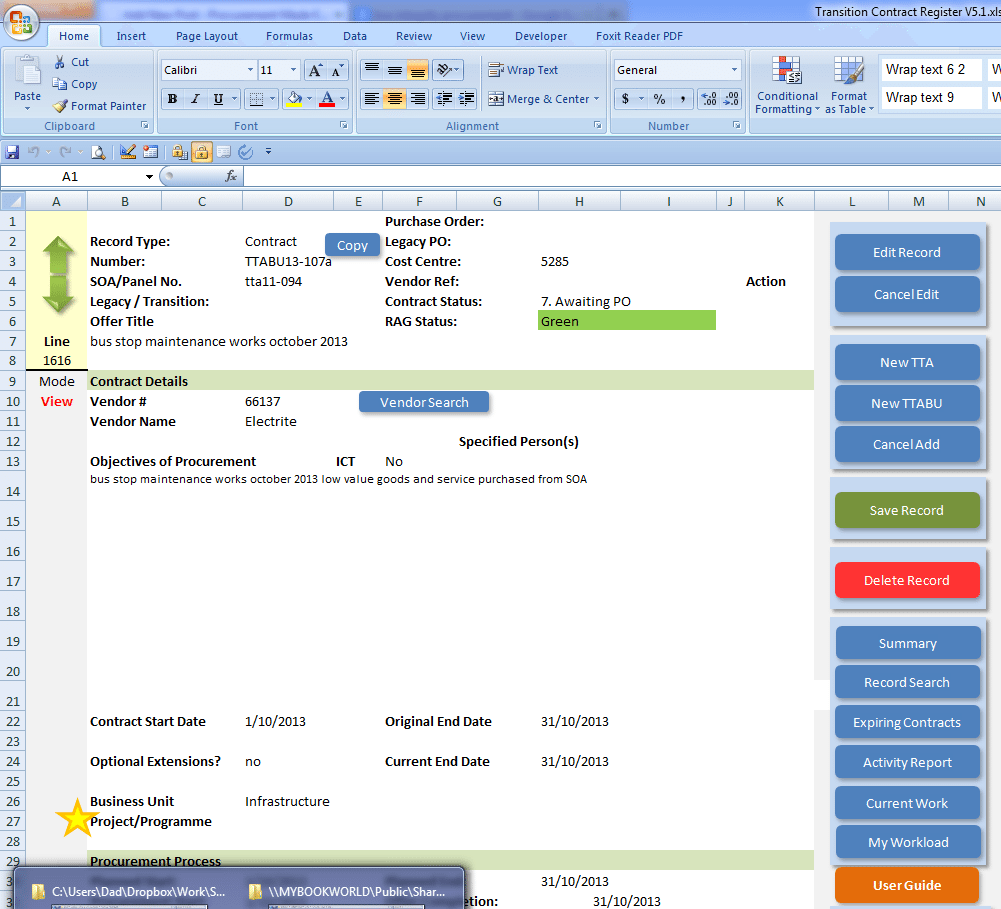
It is all well to create a complex list of data, but reviewing, adding and maintaining records in the Excel table format when there are more than a few fields quickly becomes slow and unreliable. End users will complain about having to maintain so many fields, managers will want the data displayed as different forms of information and administrators will quickly tire of trying to fix the errors introduced through poor data entry and accidental deletions. This is where the benefit of the Advanced Excel Contract Manager solution in separating access to and maintenance of the data from the raw data sheet delivers a tremendous advantage over basic spreadsheet tables.

Read More »

Using Array Variable in Excel VBA to Boost Performance

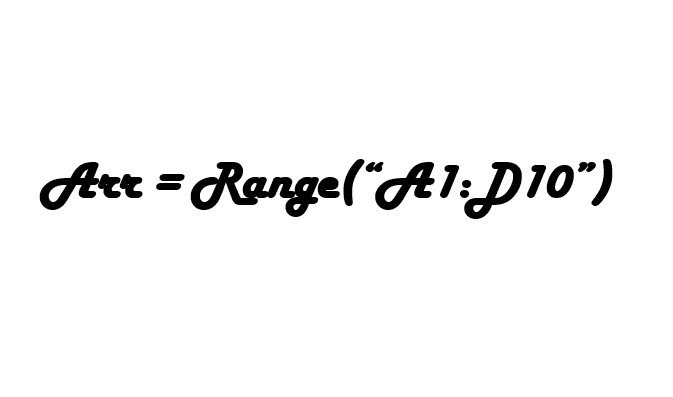
The array variable provides an opportunity to significantly boost the performance of Excel in processing large data sets and they are surprisingly easy to use. In a recent project, I implemented an array variable and allowed the code run nearly 10 times faster. If you need to manipulate large data sets and your code is running slower than you would like, take a look at this solution.

Read More »

Data Provider Built in Excel

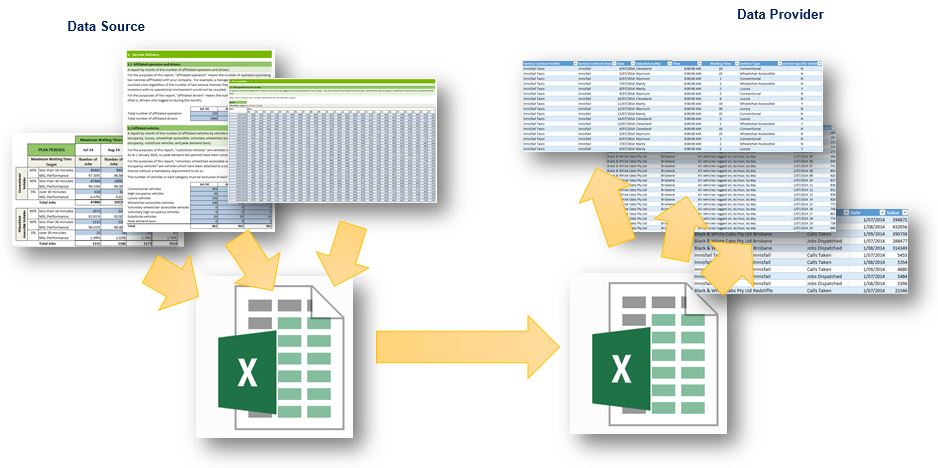
I was presented with an excellent challenge by one of my clients a couple of weeks back. They had established a contractual arrangement with twenty providers that contained an effective suite of KPIs for measuring and managing performance, but sadly lacked the ability to capture and report on those KPIs. Next they developed a nifty Excel workbook for the vendors to complete and provide their data, but the workbook was made up of seventeen different worksheets and each was in a different layout designed to make data entry easy. It did not make reporting easy though and the is where I come in.

Read More »

Advanced Excel Contract Manager – Contract fields and validation

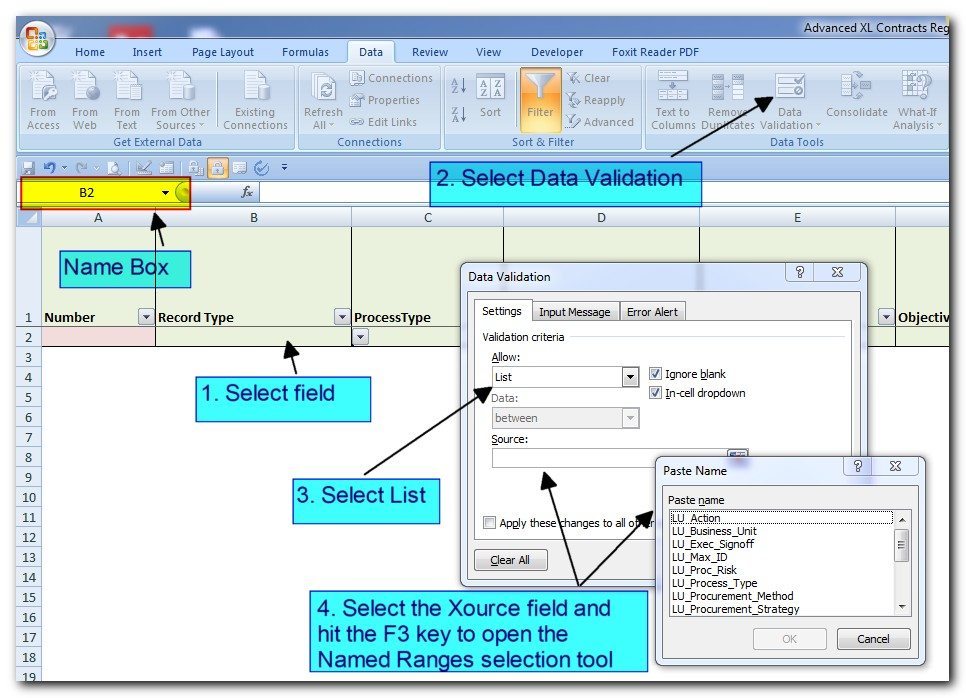
A critical component in building a powerful contract life cycle management application in Excel is to determine what data you want to capture and then taking steps to ensure data quality is maintained. It is always a balance between usability and the need to build meaningful reporting. While using a standard format spreadsheet quickly becomes arduous when there are more than 15 fields of data, the Advanced XL Contract Manager provides functionality that makes capturing a hundred fields efficient and easy. There are the obvious fields such as the contract number, title, description, start and expiry dates. But there are a few fields you may not have thought of. In this blog, we’ll start with defining the Contract fields and validation methods to make sure our data stays clean.

Read More »